When it comes to business data loss, unfortunately it’s no longer a question of “If,” but rather, “When”. Every week, there’s news of businesses battling a different kind of threat, be it AI-powered ransomware, failures, accidental deletions, misconfigurations, corrupted updates or even other risks like a flood or a power surge. These increasing reports highlight just how critical it is to have a reliable backup and disaster recovery solution in place.
Yet, with the sheer number of options, finding an effective solution can be a real challenge. Trying to find a single solution that can do it all can feel like an overwhelming and impossible task. Whether small, medium or large, businesses need a reliable solution that’s going to be flexible to deploy, versatile across platforms, robust against cyberthreats and affordable enough to fit the budget.
All the Data Protection I Need in One Place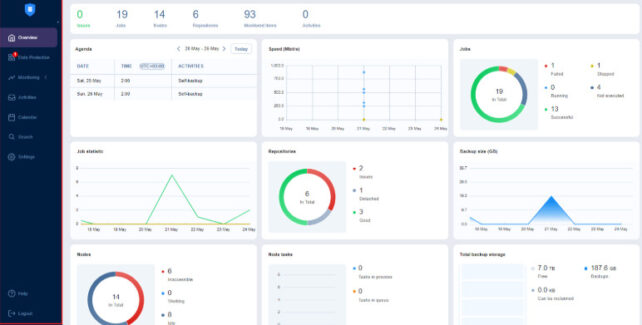
While no solution can check every box in terms of capabilities, NAKIVO Backup & Replication covers all the key requirements with far fewer gaps than expected.
NAKIVO Backup & Replication
Install It Almost Anywhere
Firstly, when it comes to the solution installment, NAKIVO Backup & Replication doesn’t shoehorn customers into a single deployment option. It can be installed on Windows, Linux or even directly on a NAS device. It can also be deployed as a pre-configured virtual appliance (VA) or as an Amazon Machine Image (AMI) in the cloud.
Businesses will value the Hardened Virtual Appliance option. This provides immutable, ransomware-resilient local backups straight out-of-the-box. Another NAKIVO exclusive option is the capability to directly deploy the solution on a NAS device, which turns it into an all-in-one backup appliance. That’s a rare capability and one that smaller teams or remote offices will appreciate.
Most backup tools lock you into one installation method. NAKIVO allows customers to install wherever it makes sense for the particular setup the business is working with.
Cover Almost All Workloads
NAKIVO can easily handle backup coverage across VMs and physical servers..
It protects virtual machines across VMware vSphere, Microsoft Hyper-V, Nutanix AHV and Proxmox VE. That alone covers the BIG FOUR hypervisors most organisations run today.
Beyond VMs, it protects physical Windows and Linux servers and workstations, Microsoft 365 workloads, SMB and NFS file shares on NAS devices and servers, Amazon EC2 instances and supports Oracle database backup via RMAN.
How to create a backup job – dashboard overview
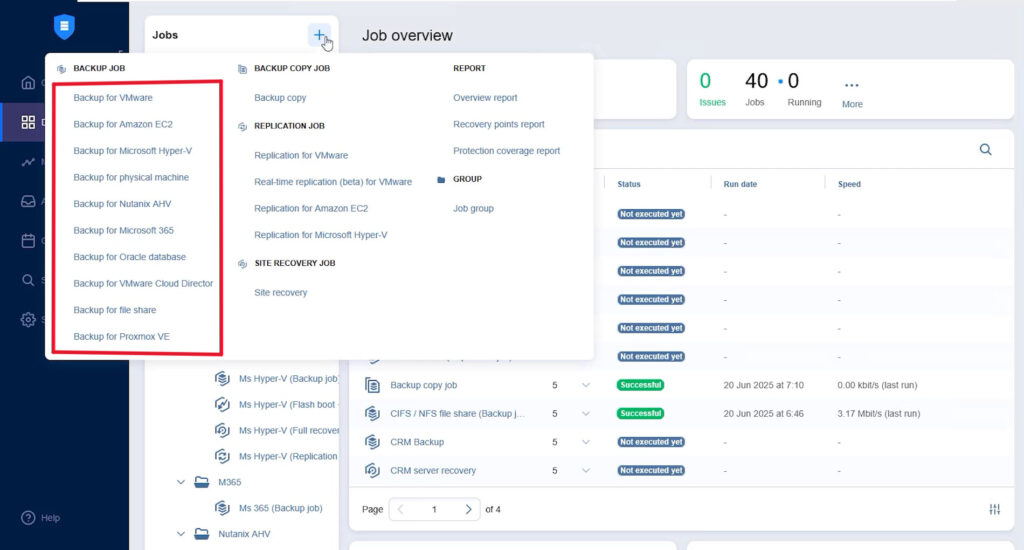
Backups are incremental and application‑aware, with compression, deduplication and exclusion of swap data to keep storage consumption at a minimum. And with policy-based automation, new workloads are automatically picked up. It just works – there’s no need to manually configure every new machine. The result is one solution to manage the workloads that are important to the business.
Ransomware-Resilient by Design
Ransomware is one of the biggest reasons backup tools matter. There are many backup tools that treat ransomware protection as a single tick box, but NAKIVO offers a more layered approach:
- For starters, it makes the 3-2-1-1 backup rule much easier to implement: multiple copies on different storage, one copy offsite and one copy offline or immutable.
- Secondly, businesses can create immutable backups in local repositories and in the cloud (Amazon S3, Wasabi, Azure Blob, Backblaze B2 and S3-compatible storage), as well as in NEC HYDRAstor and Dell EMC storage.
- To increase data protection by keeping a copy of business data away from the network, air-gapped backups can be created on tape, detachable NAS devices and USB drives.
- Before any recovery, a built-in malware scan checks restore points for threats, providing peace of mind.
- Data is encrypted at the source, then again in transit and again at rest.
- Combined with robust access controls like Role-Based Access Control (RBAC), preventing unauthorised access and Two-Factor Authentication (2FA), which asks users for a second security factor like email, mobile or one-time pin, data can be secured at every step.
This combination is one of the strongest aspects of the solution. It reflects the reality that backup security is now part of cybersecurity, not just IT operations.
Recover Quickly, In Every Scenario
backup is only useful if you can access and restore it when you need it.
NAKIVO Backup & Replication delivers several recovery options, depending on the situation. Full VMs, physical machines, individual files, application objects and Microsoft 365 items can all be safely recovered.
For larger incidents, NAKIVO also includes VM Replication and Site Recovery, so recovery workflows can be prepared before incidents occur.
The functionality that companies may get the most value from is Real-Time Replication for VMware. If running the most critical workloads on VMware, having replicas that stay continuously in sync, rather than updating on a schedule, can be a gamechanger. The gap between the last good copy and the point of failure, or Recovery Point Objective (RPO) shrinks to almost nothing.
Built-In Monitoring
NAKIVO extends backup and recovery with integrated VMware vSphere monitoring. This offers complete visibility into host and VM performance, with CPU, RAM and disk metrics tracked in real time. When something drifts outside normal thresholds, real-time alerts are sent so issues can be addressed before they escalate into more serious incidents.
Monitoring – dashboard overview
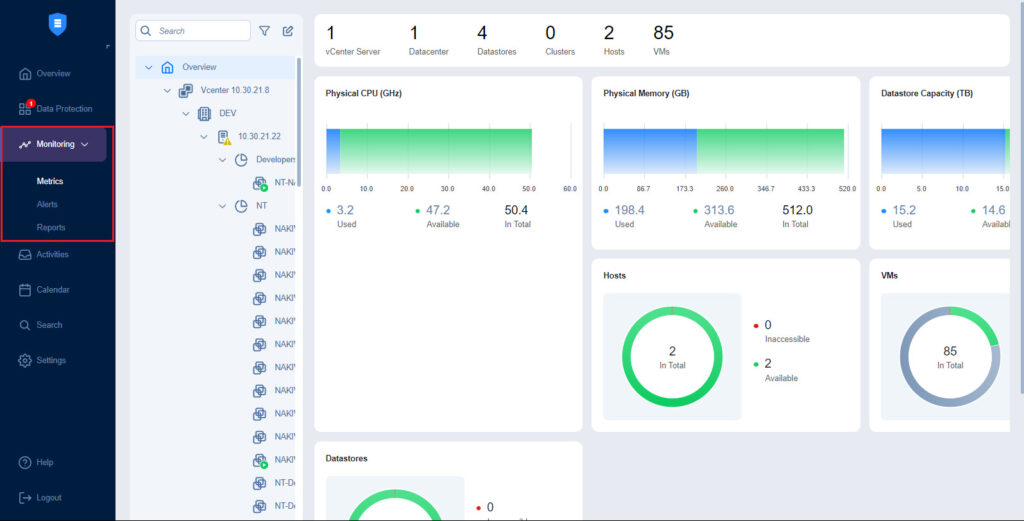
Having backup and monitoring in one place saves the headache of jumping between tools.
Pricing That Fits Every Budget
When it comes to pricing, NAKIVO keeps things straightforward. There are two models: a perpetual license on a per-CPU-socket basis with a pay-once-and-use-forever option and a per-workload subscription charged monthly but billed annually.
Simple Scalability
NAKIVO has different editions, so smaller businesses can start with what they need and scale up later instead of replacing the whole solution.
And it’s not just SMEs that benefit from this solution. In terms of handling enterprise-scale demands, it’s used by the likes of Coca-Cola, Cisco, DHL, Siemens and Honda.
MSP-Centric Architecture
For managed service providers, the multi-tenant mode enables management of up to 100 isolated client environments from a single instance. Each client has their own space, completely separate from everyone else and each can be overseen from a single MSP Console.
Client sites can be connected to without VPNs or changes to their firewall ports. MSP customers can also access the Self-Service Portal to run data protection workflows themselves.
MSP Console – dashboard
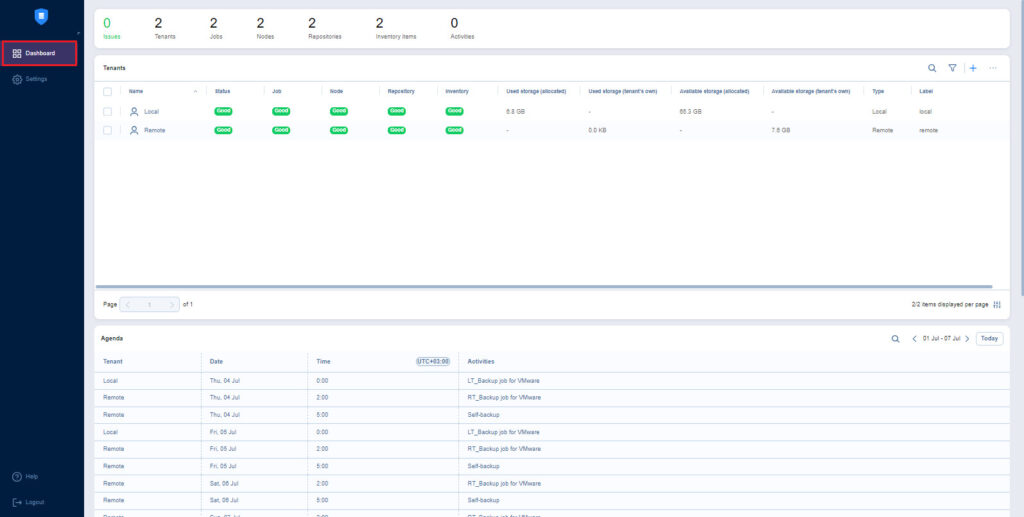
From a service delivery perspective, MSPs can offer Backup-as-a-Service (BaaS), Replication-as-a-Service (RaaS) and Disaster-Recovery-as-a-Service (DRaaS), all from the same platform.
Intuitive and Easy to Use
Despite its extended feature set, NAKIVO is remarkably easy to use. The web-based interface is clean. Setting up backup jobs, configuring repositories and restoring data is straightforward, even for those without deep technical experience. It’s also available in 7 languages: English, Spanish, French, German, Italian, Polish, Japanese and Chinese.
What’s New in NAKIVO Backup & Replication
The v11.2 release added more power to the solution. It includes full support for VMware vSphere 9 and Proxmox VE 9.0, helping protect newer virtual infrastructure versions.It also adds OAuth 2.0 support for email settings, replacing older authentication methods with a more secure approach for Google and Microsoft email providers.
The new v11.2.1 update builds on this with full support for Proxmox VE 9.1, vSphere 9 support in Real-Time Replication workflows and support for Buffalo NAS devices running Windows OS.
Final Thoughts
NAKIVO Backup & Replication is a strong option for those looking for a centralised solution that offers backup, instant recovery, ransomware protection, disaster recovery and monitoring. That does not mean that every business will use every feature on day one. In fact, smaller teams may need a little time to decide which options matter most for their setup. This provides organisations with the option to to grow, rather than quickly outgrow the tool they started with.
NAKIVO Backup & Replication strikes a good balance between breadth and usability. It supports a wide range of platforms while still offering practical deployment options and an interface designed to keep backup and recovery tasks manageable.
NAKIVO Backup & Replication covers every environment, protects against every threat and fits every budget.
Access the free trial here.